Asus GX10 Headless Quick Setup
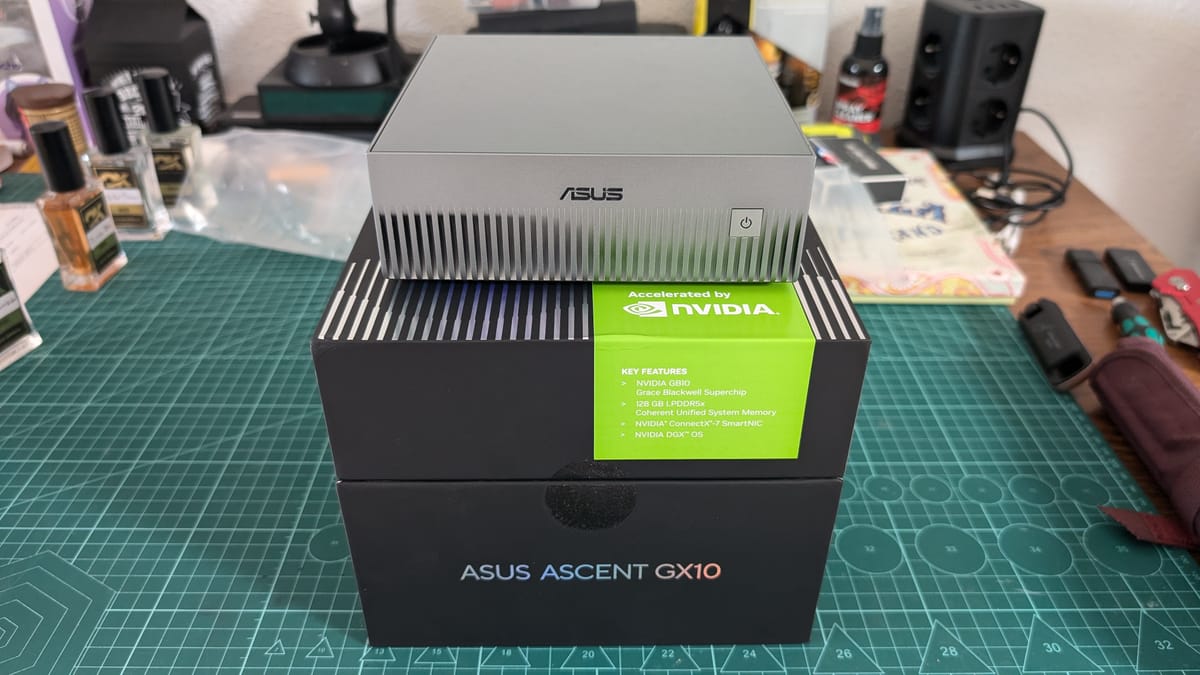
You just unboxed your Asus GX10, a Grace-Blackwell GB10 superchip with 128 GB of unified LPDDR5x memory & 20-core ARM CPU.
What to do now?
Here's how to bootstrap this thing headless from first power-on, and end with to serving a 27B model with speculative decoding.
Headless First Boot via WiFi Hotspot
1 . Plug in power
The system starts automatically — no power button toggle needed on first boot.
On first power-on, it creates its own WiFi hotspot.
The SSID and password are printed on a sticker attached to the Quick Start Guide in the box. Don't lose that sticker.
2. From another computer, connect to the Spark's WiFi hotspot using the SSID and password from the sticker.
3. A captive portal opens in your default browser. If it doesn't, navigate to the setup URL listed on the Quick Start Guide.
4. The web wizard walks you through: language/timezone, T&C acceptance, user account creation, WiFi network selection, WiFi password.
5. The Spark joins your home network, tears down its hotspot, and your computer reconnects through your network.
6. Software download and installation runs automatically. This takes up to 10 minutes and may reboot several times. Do not cut power during this phase.
ssh <user>@<spark-ip>If mDNS works on your network, `ssh <user>@spark.local` may also work.
If nothing of this works you can use nmap to scan the local network and find the ip of the DGX.
nmap -sP 192.168.1.0/24 3.2 Kernel & Firmware Flash
NVIDIA recommends the DGX Dashboard for updates. Skip it. Do it manually:
sudo apt update
sudo apt dist-upgrade -y
sudo fwupdmgr refresh
sudo fwupdmgr upgrade -y
sudo reboot
After reboot, SSH back in and verify:
uname -r          # must show the new kernel version
nvidia-smi        # driver must be bound to the GB10 GPU
If nvidia-smi reports NVIDIA-SMI has failed, your kernel and driver are mismatched. Check for held-back packages with apt-mark showhold and unfuck your apt sources.
3.3 SSH Hardening
RSA is dead. Generate the Ed25519 keypair on your client machine (not the GX10):